 I have gotten a ton of emails over the last few months from people asking how to get the Wallpaper app to work correctly on their 1.1.3/1.1.4 (if you are on anything less than 1.1.3, please read the warning below).
buy vibramycin online onlineandnewblo.com/buy-vibramycin.html no prescription pharmacy
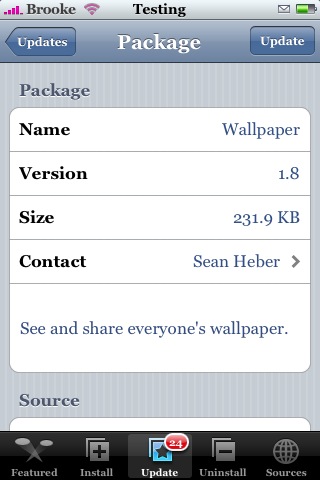
Well, no need for a symbolic link any more because Wallpaper version 1.8 makes the app compatible with 1.1.3 and 1.1.4. There are no visual changes to the app…
buy periactin online onlineandnewblo.com/buy-periactin.html no prescription pharmacy
the interface is the same. Wallpaper is available through the iApp-a-Day source.
buy prednisone online onlineandnewblo.com/buy-prednisone.html no prescription pharmacy
Below is the screenshot.
Warning: If you are on a firmware lower than 1.1.3/1.1.4 version 1.8 of this app will not work for you…do not update quite yet…I bet we see an update soon!

 Loading...


 Loading ...
and next time use the forum.. many people can hekp you there…
How do I delete the wallpapers? Where is it’s directory?
You will need to go into your iPhone via SSH and the wallpapers are in the /Library/Wallpaper folder. If they are from the app Wallpaper they are listed as Wallpaper-import-1.png, Wallpaper-import-2.png and so on, just delete them from there. Make sure you delete the corresponding thumbnail too!!
I tried that too … and it worked. Thx :)
help,
i want to delete wallpapers,
there is no /Library/wallpaper folder,
there r only installer,lockdwn ,preferences.
I use wallpaper app and stored the wallpapers in wallpaper
only 18 wallpapers r shown in that folder,
whereas in settings in iphone it shows 28 photos,
help
need to download this the new one stinks and it is not on installer anymore
I like this program